Real math and reading, inside games kids want to play.
Kids run a market stall, solve mysteries, mix fraction potions and program a delivery robot. Every shell they earn goes into building their own island.
Free while we test it with families. No account, no sign-up, nothing to download from an app store. How to add it to a tablet.
How Sapling works
The learning is the game, not a quiz you have to get through first. A shopkeeper can't open without making change, and a detective can't close a case without reading the clues.
Play a game
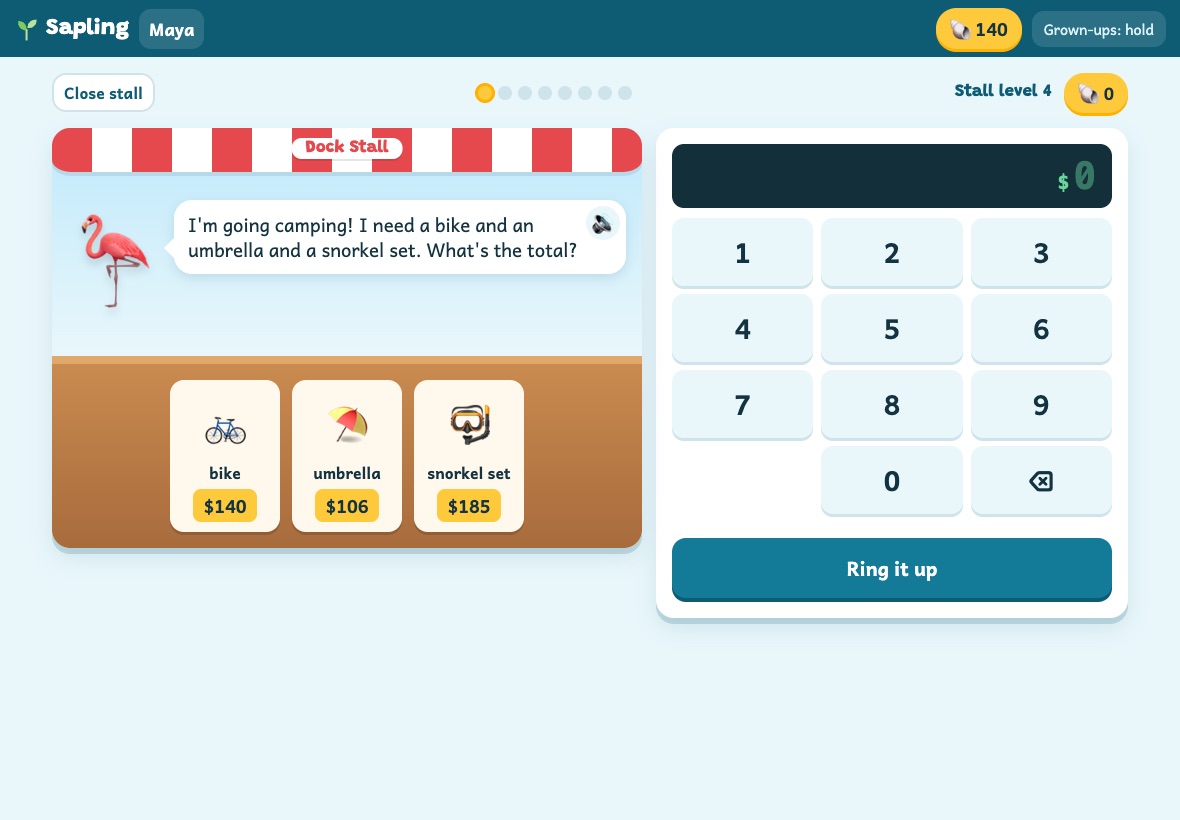
A customer wants a bike and a snorkel set. Add the prices, take their money, count back the change. Each round is 8 short orders.
Earn shells
3 shells for getting it right the first time, 1 on the second try, a tip for being quick, and 3 more for finishing the round.
Build an island
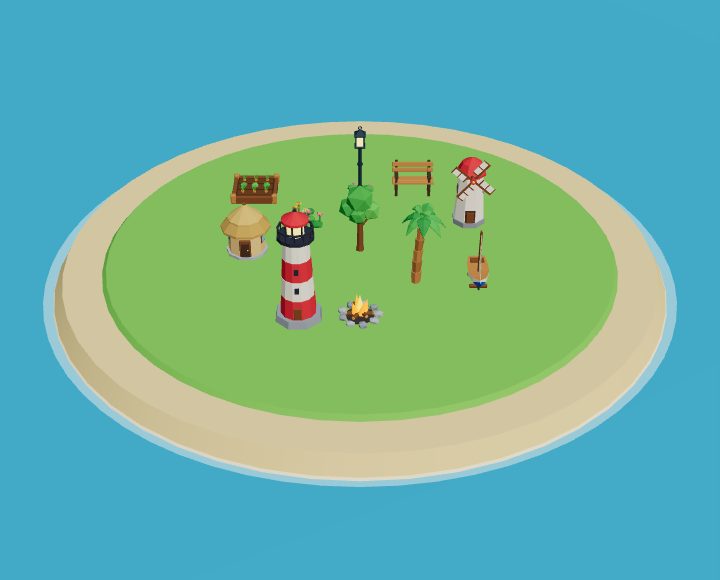
Spend shells on huts, windmills, boats and a lighthouse. The tree in the middle grows with everything they've earned, and the island gets bigger too.
See it in action
Characters with their own voices read every order out loud, so a kid who is still building reading speed can keep up.
The games
Nine learning games, each with its own ladder of skills from 2nd grade up to 5th.
Market Stall
Money: counting coins, adding prices, making change, sale prices.
Up to price by weight with decimalsGarden Plots
Even and odd, times tables, division, area and perimeter.
Up to 2-digit by 2-digit and volumeIsland Mysteries
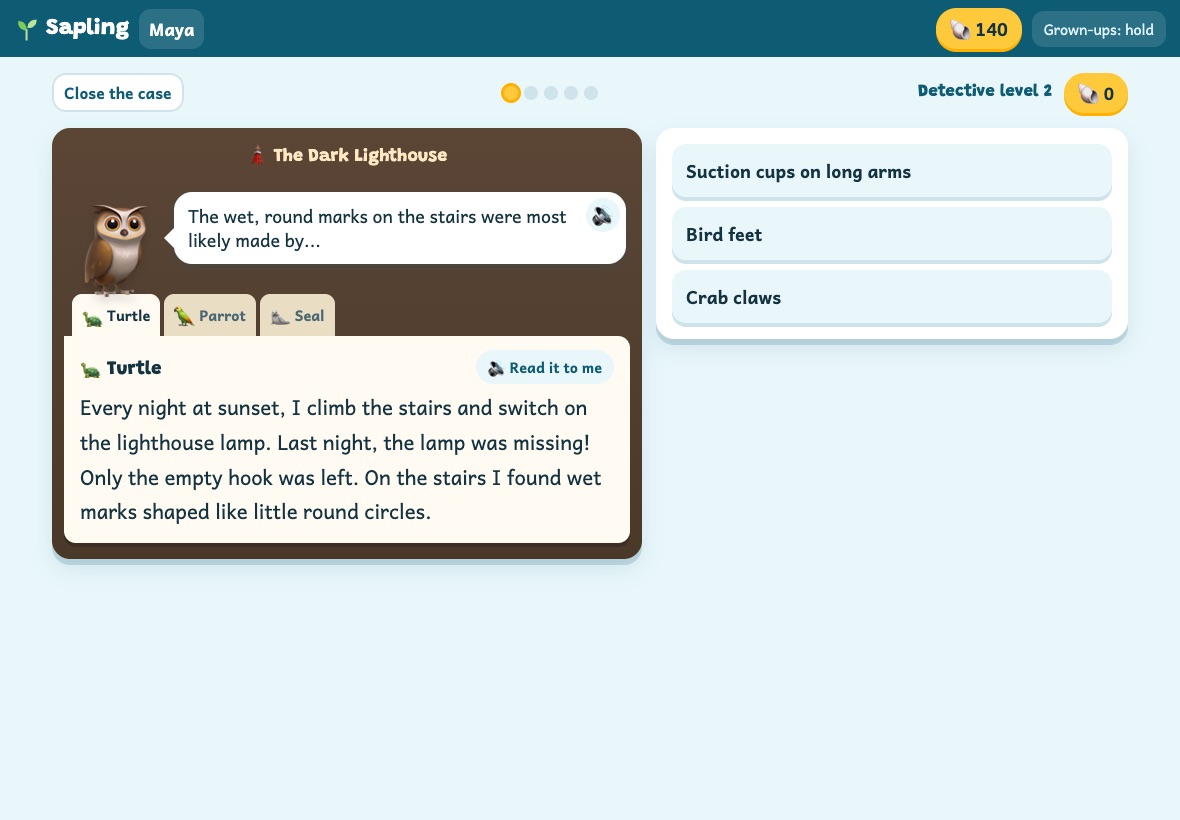
Reading: read witness notes, find the sentence that proves it, name who did it.
56 cases across 4 reading levelsIsland Story
A 6-chapter story, one chapter a day, read aloud. Kids answer questions and choose what happens next.
Potion Kitchen
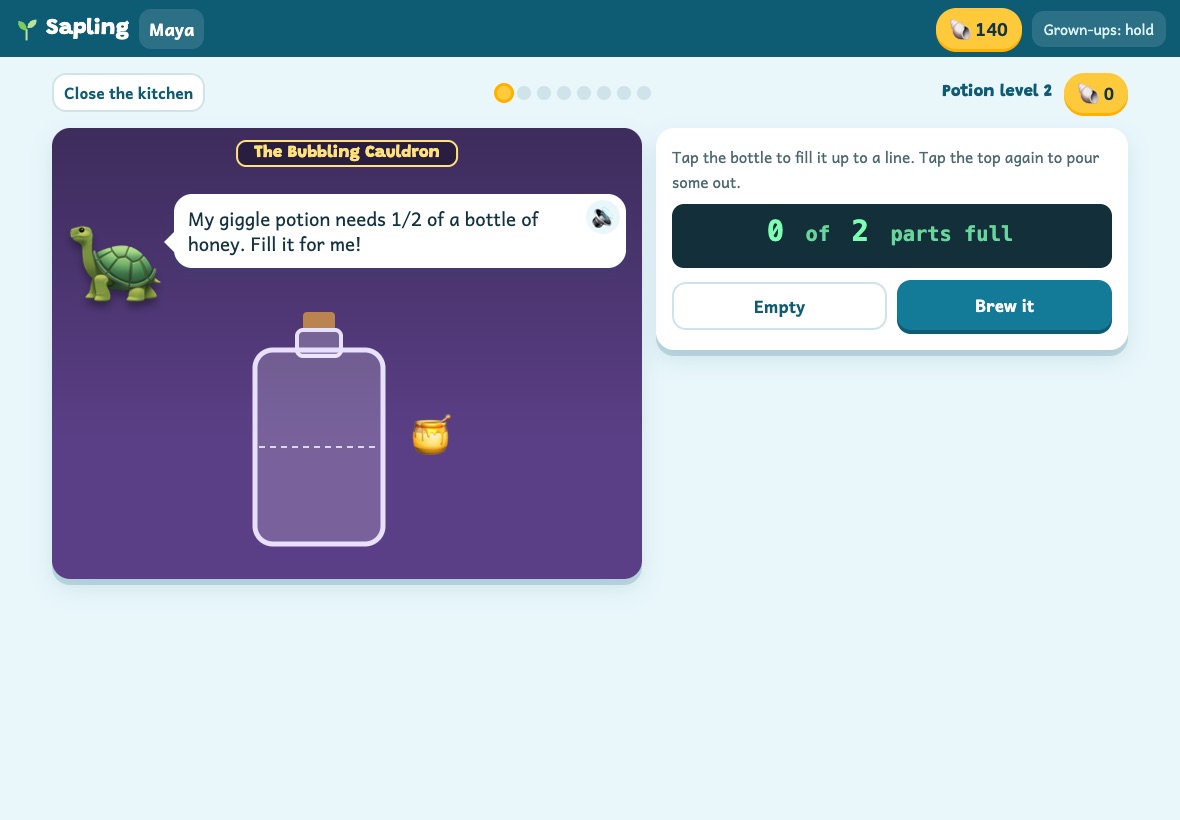
Fractions: parts of a whole, number lines, comparing, equivalent fractions.
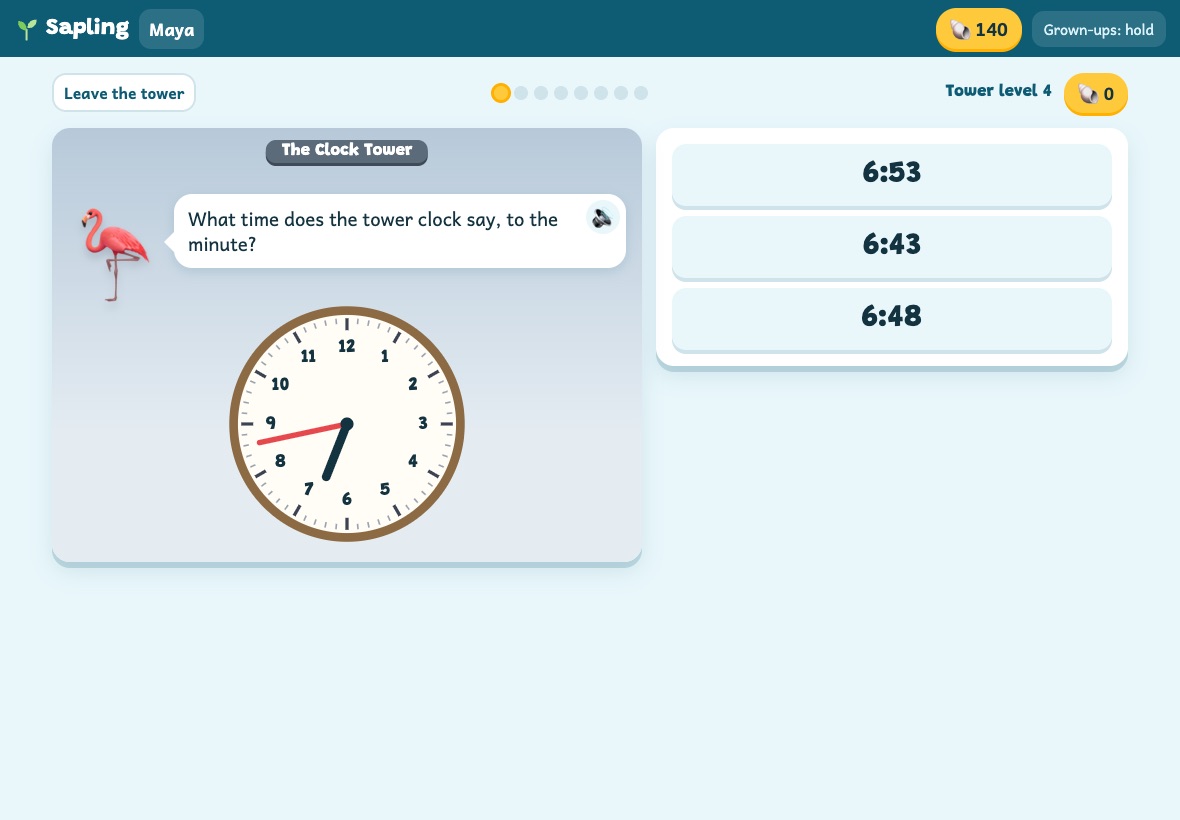
Up to adding unlike fractions and scaling recipesClock Tower
Time: read and set clocks, a.m. and p.m., minutes between two times.
Up to planning with a timetableWord Forge
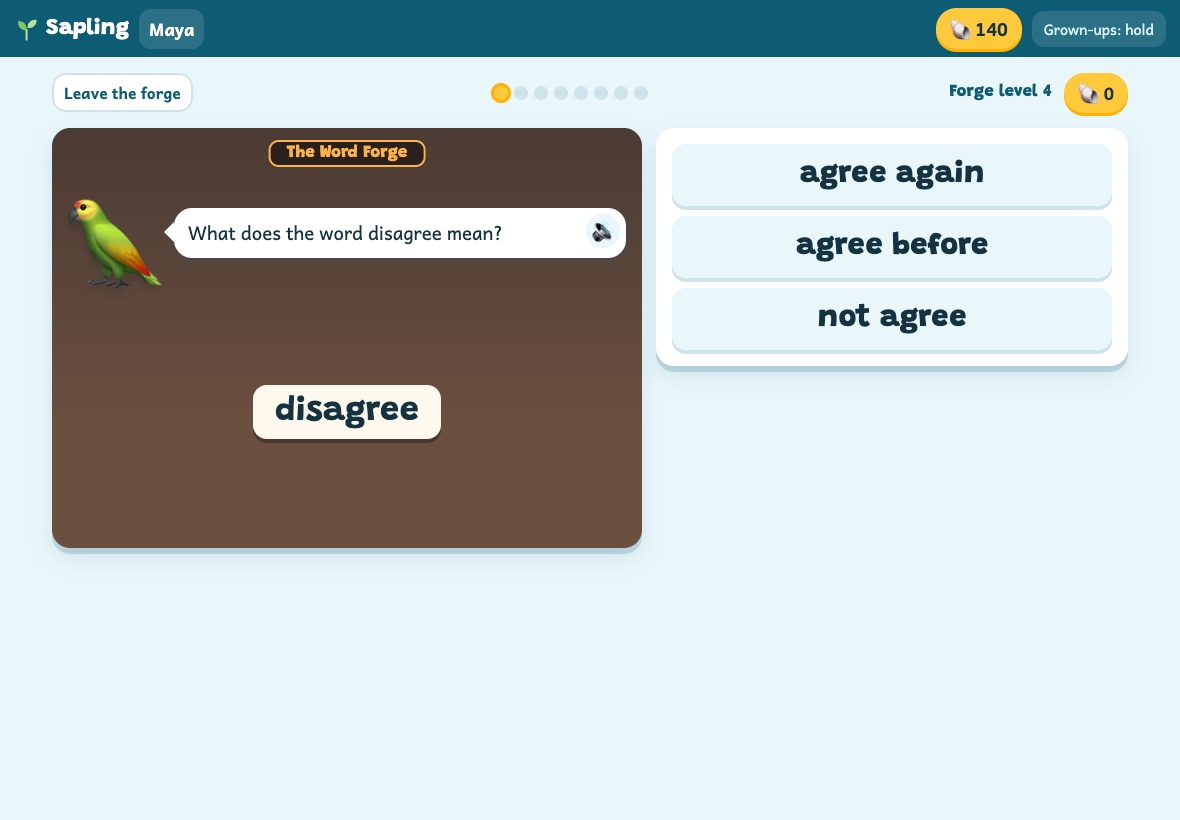
Spelling and word parts: compound words, prefixes, suffixes, homophones.
Up to Greek and Latin rootsRobot Helpers
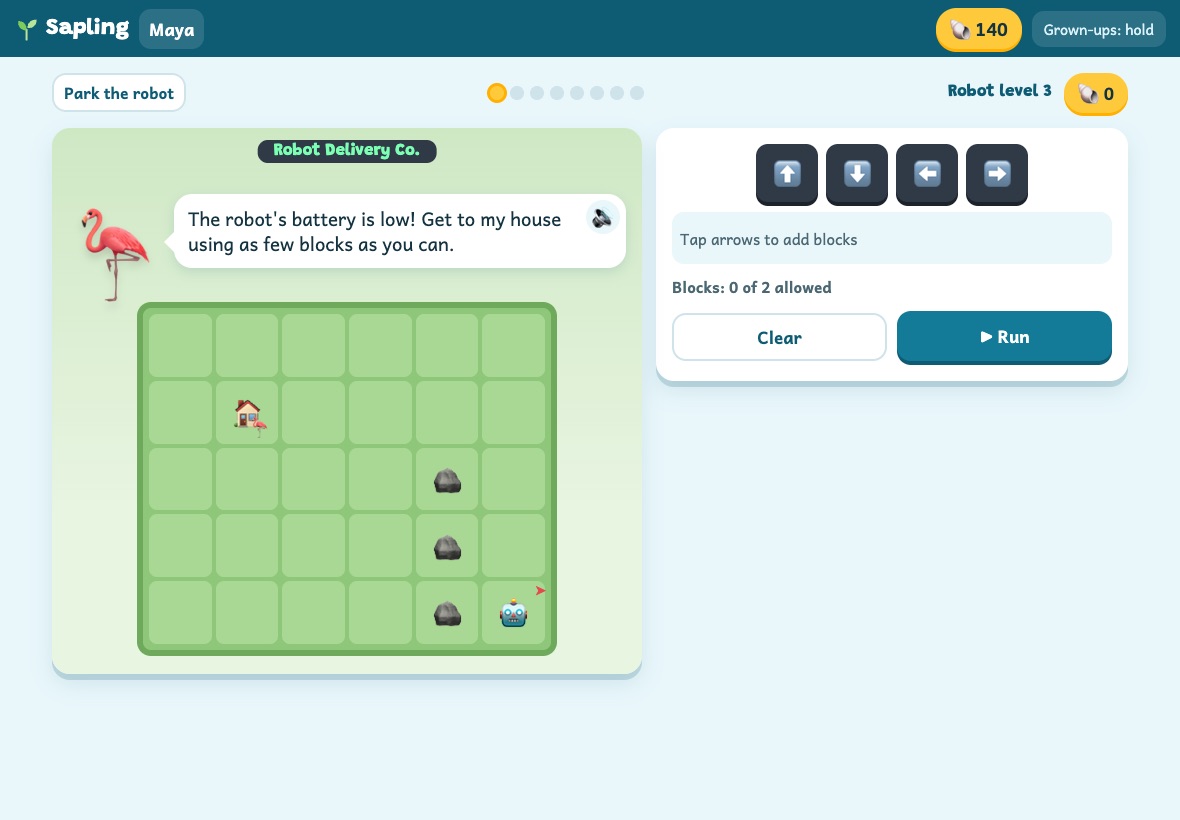
Coding: step-by-step directions, paths around obstacles, loops.
Up to finding the bug in a programBrain Cards
Quick question cards on math, words, science and the world, one deck per grade.
And for a break
Game Room
Chess, checkers, reversi, mancala, four in a row and more. Each one has a lesson that teaches how to play, puzzles, and a computer player from Easy to Expert. Or play a sibling on the same tablet.
Arcade
Four action games with math inside: fly through the gap with the right answer, pop only the numbers that fit the rule. A run costs shells, so it's a reward bought with learning.
Five worlds to build
Kids can travel to a new world any time. Their shells and skills come along, and whatever they built waits for them back home.
Each world has its own characters, mystery cases and story, and the games change to match: the Market Stall becomes a moon market, Potion Kitchen becomes a fizz lab.
Grows with them
Pick your kid's grade once. After that, each game moves up or down on its own.
The right level, all the time
Every game is a ladder of skills. Five right out of six on the first try moves a kid up a step. A rough patch moves them down a step, quietly, with no red marks. Some orders mix in review from a lower step so skills stick.
Two wrong tries in a row and the game shows the worked answer, step by step, instead of letting them guess.
A report you can actually read
Grown-ups get a one-page play report for each kid covering the last 7 days:
- Minutes played each day
- Rounds finished in each game, and the step they're on
- Skills going well, and skills that need practice, in plain words
Our promises to grown-ups
Sapling is the next step after Sprout, and it follows the same rules.
Getting started
Two ways to play, both ready in about a minute. Nothing to download from an app store.
Play in the browser
Tap Set up Sapling, pick a 4-digit grown-up PIN, then add each kid's first name and grade. Good for trying it out, or on a computer. Bookmark sapling.lilsprout.app to come back.
Set up SaplingAdd it to the home screen
Sapling gets its own icon and opens full screen, with no address bar or tabs to wander into.
iPad and iPhone, in Safari
- Tap the Share button (a square with an arrow). On iPhone it may be inside the ••• menu.
- Tap Add to Home Screen. If you see Open as Web App, leave it on. Tap Add.
- Open Sapling from the new icon and set up your kids there.
The icon keeps its own saves, separate from Safari. Already set up in Safari? Save a backup there (Grown-ups › Backup) and restore it inside the icon.
Android phones and tablets, in Chrome
- Tap the menu (three dots at the top right).
- Tap Add to Home screen, then Install. Some phones say Install app.
- Open Sapling from the new icon and set up your kids.
The icon and Chrome share their saves, so it doesn't matter which one you set up first.
Chromebook, Windows and Mac
- In Chrome or Edge, click the install icon at the right end of the address bar (or find Install in the browser menu).
- On a Mac in Safari, choose File › Add to Dock.
- Sapling opens in its own window. A touch screen works well, and so does a mouse.
Then, either way
- Let it finish downloading
The first time, Sapling saves its voices and 3D models for offline play. It keeps going in the background while kids play.
- Grown-up settings: hold the button
Press and hold "Grown-ups" in the top corner for 2 seconds, then type your PIN. That's where you add a kid, set a time limit, see the play report or save a backup.
Got a younger one too?
Sapling grew out of Sprout, our learning app for ages 3 to first grade: letters, numbers, phonics, drawing and pretend play, with every instruction spoken out loud. Same promises, made by the same family.
Say hello
Questions, a bug, or an idea for a game? We read every note. Ideas from kids are welcome too.
Ready to build an island?
Free while we test it, no sign-up. Set it up on a tablet in about a minute.
Set up Sapling